JavaScript
Due on Tue, 02/25 @ 11:59PM. 25 Points.
Background
Learning Objectives
The goal of homework 5 is to introduce you to some of the common uses of JavaScript in frontend web development. In particular, you will be practicing the following:
- Dynamically manipulating the DOM
- Rendering HTML templates
- Building event handlers to respond to user events
- Leveraging data from external files using the ES6 fetch API
Relevant Lectures
In order to complete this assignment, you will be using the JavaScript fetch API and the API Tutor (proxy server) to query Spotify. Relevant lectures and labs:
Starter Files & Samples
Please begin by downloading the assignment files:
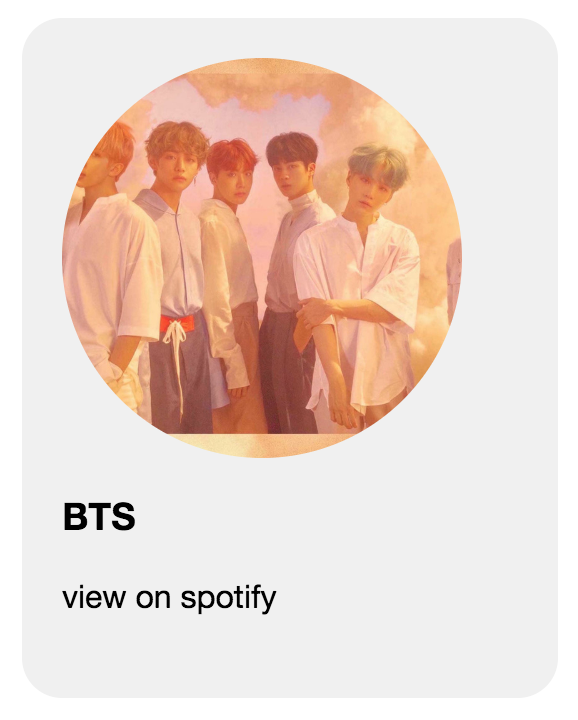
For this task, I have created the HTML and CSS for you. If you open sample/index.html in your web browser, you will see an example of how I want your final interface to look. However, data from BTS is hardcoded in the interface. I want you to make it so that music / media from ANY artist can be searched. That is, each of the HTML widgets below must be converted into templates that can bind to data from Spotify.
Assignment Rules / Guidelines
- You may not use any external libraries other than the audio-player.js file that I made for you.
- You can make as many helper functions as you want to complete the assignment.
- All server queries must be done using the JavaScript fetch API.
- You are welcome (even encouraged) to copy and use any code from the sample directory
- Start this assignment early so that you can go to office hours!
Assignment Instructions
In this assignment, you will use JavaScript to make the Spotify search/browse interface work. To do this, you will be editing files in the your_task folder. Please complete the four tasks listed below, following the guidelines listed:
Step #1: Display Artist
Implement the getArtist function. This function – and any (optional) helper functions – should:
- Query the Spotify search endpoint with the appropriate query parameters using the built-in
fetchfunction. Sample search query: - Display the first artist that get returned (rather than displaying all of the artists, you will just display the first one).
- If no artists are returned for the search query, display a message that indicates that no artist has been returned.
- Render the artist card to look like the one shown in sample/index.html, using a templated version of the code shown below. Note that the values for
idsrchrefandh3's inner HTMLshould be rendered dynamically using live Spotify data.
<section class="artist-card" id="3Nrfpe0tUJi4K4DXYWgMUX">
    <div>
        <img src="https://i.scdn.co/image/0c9057cb30520f9f883a220051260fc66a2f3ffa">
        <h3>BTS</h3>
        <div class="footer">
            <a href="https://open.spotify.com/artist/3Nrfpe0tUJi4K4DXYWgMUX" target="_blank">
                view on spotify
            </a>
        </div>
    </div>
</section>
Step #2: Display Tracks
Implement the getTracks function. This function – and any (optional) helper functions – should:
- Query the Spotify search endpoint with the appropriate query parameters. Example:
- Display the first five tracks that gets returned (not all of them – just the first five).
- If no tracks are returned for the search query, display a message like “No tracks found that match your search criteria.”
- Ensure that your code still works if less than 5 tracks get returned.
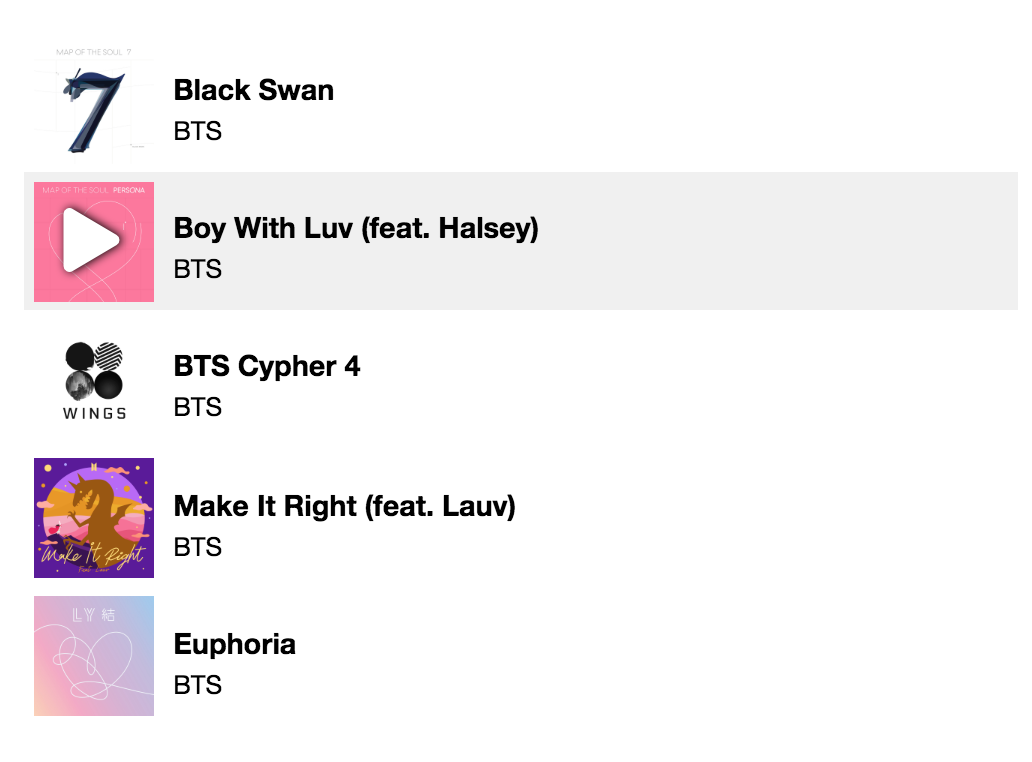
- Render the tracks to look like the ones shown in sample/index.html, using a templated version of the code shown below (including the hover effects). Note that the values for
data-preview-tracksrch3's inner HTMLandp's inner HTMLshould be rendered dynamically using live Spotify data.
<section class="track-item preview" data-preview-track="https://p.scdn.co/mp3-preview/879c7106422b0b53852209da6a63210be7e09b01?cid=9697a3a271d24deea38f8b7fbfa0e13c">
    <img src="https://i.scdn.co/image/1aacaefb0ef07755e5a155d96ee7f1073063e428">
    <i class="fas play-track fa-play" aria-hidden="true"></i>
    <div class="label">
        <h3>Black Swan</h3>
        <p>
            BTS
        </p>
    </div>
</section>
Step #3: Display Albums
Implement the getAlbums function. This function – and any (optional) helper functions – should:
- Query the Spotify search endpoint with the appropriate query parameters. Example:
- Display all of the albums that get returned.
- If no albums are returned for the search query, display a message like “No albums were returned.”
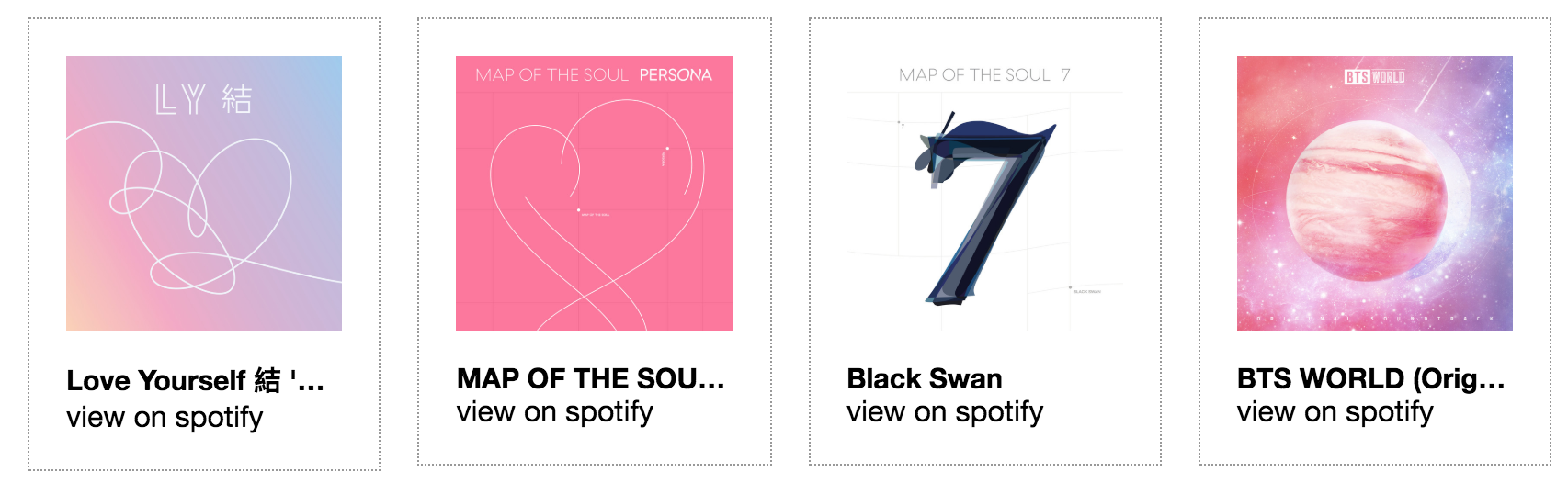
- Render the album cards to look like the ones shown in sample/index.html, using a templated version of the code shown below. Note that the values for
idsrch3's inner HTMLandhrefshould be rendered dynamically using live Spotify data.
<section class="album-card" id="2lATw9ZAVp7ILQcOKPCPqp">
    <div>
        <img src="https://i.scdn.co/image/ab67616d0000b2736feb6d9ed7891f40e9a524dd">
        <h3>Love Yourself 結 'Answer'</h3>
        <div class="footer">
            <a href="https://open.spotify.com/album/2lATw9ZAVp7ILQcOKPCPqp" target="_blank">
                view on spotify
            </a>
        </div>
    </div>
</section>
Step #4: Connect Tracks to the Audio Player
Add a click event handler to each of the tracks. When a track is clicked, your code will do the following:
- Update the track item preview in the page’s footer.
- Update the audioPlayer object with the track’s song preview URL:
audioPlayer.setAudioFile(preview_url); - Play the song:
audioPlayer.play();
Extra Credit
The following enhancements can be completed for extra credit. Note: You are only entitled to 6 points extra credit in this class (3 percentage points).
- Add an event handler to the artist card so that when you click on it, the tracks in the #tracks section are replaced by the artist’s top tracks (2 points)
- Add an event handler to each album card so that when you click the album, the tracks in the #tracks section are replaced by the album’s tracks (2 points)
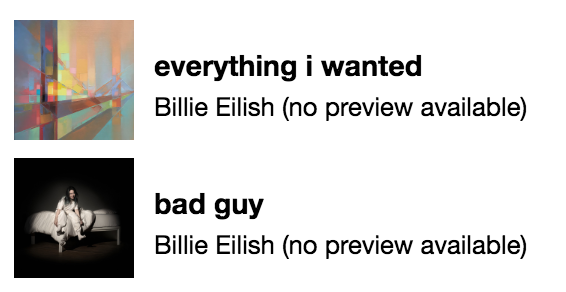
- Modify the track template so that if there is no audio preview available, you don’t get the option to play the track. Note: to test, search for Billie Elish, who is not available on Spotify (1 point)
- Figure out a way to hide the audio player unless the user has requested to listen to the track (by clicking on a track) (1 point)
- Implement a way to play and pause a track by clicking on the track listing (1 point)
- Integrate data from Twitter or YouTube, and render some stylized content below the albums (2 points)
Hint for the first two extra credit options
Whereas for the required parts of the assignment, I’ve used the “simplified” endpoint, for the extra credit, you’ll have to use the “unsimplified” endpoints (which return the original data structure as opposed to the simplified version of it). This means that you will remove the word “simple” from the API Tutor endpoint. Examples below.
Get tracks from album:
- Spotify Documentation: https://developer.spotify.com/documentation/web-api/reference/albums/get-albums-tracks/
- How to do it w/Spotify API: https://api.spotify.com/v1/albums/{id}/tracks
- How to do it with API Tutor: https://www.apitutor.org/spotify/v1/albums/{id}/tracks
- Example with BTS Album: https://www.apitutor.org/spotify/v1/albums/2lATw9ZAVp7ILQcOKPCPqp/tracks
Get artist’s top songs: Weirdly, for this one you need to specify the “country” parameter (just use “us”):
- Spotify Documentation: https://developer.spotify.com/documentation/web-api/reference/artists/get-artists-top-tracks/
- How to do it w/Spotify API: https://api.spotify.com/v1/artists/{id}/top-tracks
- How to do it with API Tutor: https://www.apitutor.org/spotify/v1/artists/{id}/top-tracks?country=us
- Example with BTS Artist: https://www.apitutor.org/spotify/v1/artists/3Nrfpe0tUJi4K4DXYWgMUX/top-tracks?country=us
Rubric
- Artist (5 points)
- Artist card implemented based on artist data returned by Spotify API
- Artist card looks like the one in the sample
- Tracks (5 points)
- 5 Tracks listed based on artist data returned by Spotify API
- Track items look like the ones in the sample
- Albums (5 points)
- Album cards implemented based on artist data returned by Spotify API
- Album cards looks like the ones in the sample
- Tracks Event Handler (5 points)
- Audio loads / plays when user clicks on track
- Track preview updated in footer when user clicks a track
- Overall guidelines followed (5 points)
- Used fetch API (no jQuery or other third-party libraries)
- Search works for any search term (and displays appropriate messages if no data is found)
- If no data is returned or if fewer items are returned than expected, a nice error message is displayed.
What to Turn In
Turn in a zip file of the your_task files, with your updated js/scripts.js file, and the original js/audio-player.js index.html and style.css files. You can make edits to any of the other files, but it shouldn’t be necessary.